4 min read
How to run your own LLM on Fuzzball in minutes

Running your own language model can be a complex and imposing prospect: compute provisioning, GPU allocation, model downloads, service wiring, storage configuration, and authentication, with no guarantee it will stay running once you get it there. Many teams look at that reality and reach for a commercial AI service instead.
Fuzzball removes all of that overhead by capturing AI model deployment and hosting as a reusable, templated workflow. Here is exactly what deploying your own LLM looks like today: from the workflow catalog to a running chat interface, without writing a single line of infrastructure configuration.
What you are deploying
The "Open WebUI" workflow in the Fuzzball catalog deploys two services together.
Ollama runs on a GPU-accelerated compute node. It handles all model inference, keeps models warm in active GPU memory for fast responses, and stores models on a persistent volume so they survive workflow restarts without re-downloading.
Open WebUI runs on a CPU-only node. It provides a browser-accessible chat experience that works like the commercial AI interfaces your team already uses, delegates all inference to the Ollama backend, and is protected by Fuzzball authentication with no external identity provider required.
Both services deploy together, wired together, through one workflow submission.
Step 1: Open the workflow catalog
In the Fuzzball web interface, navigate to the workflow catalog and open the "Open WebUI" entry. Everything you need to configure is presented as a simple, fillable form, with default values ready-to-run. You don't have to be concerned with infrastructure configuration, scheduler settings, container registries, or networking. Fuzzball handles all of that.
Step 2: Fill out the form
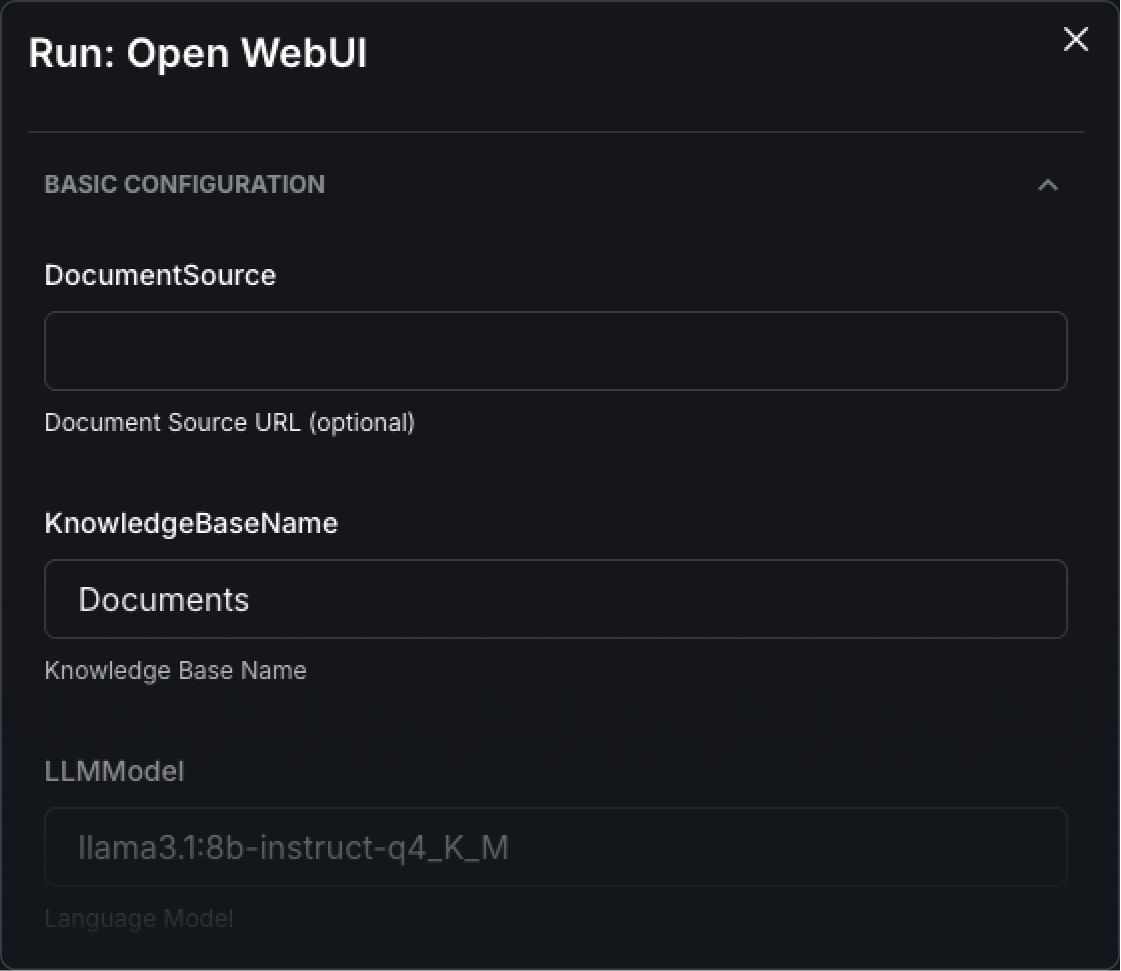
The form has a small number of fields.
Model. The LLM you want to run. The default is llama3.1:8b-instruct. You can specify any model available from Ollama's model library or HuggingFace (Mistral, Qwen, DeepSeek, or any open model). Enter the model identifier and Fuzzball pulls it as part of the workflow.
Documents to ingest (optional). If you want your LLM to reference internal documents (e.g., PDFs, Word docs, CSVs, Markdown files) provide the source location here. Fuzzball loads them into an accessible knowledge base as the workflow starts. Your AI can answer questions about these internal materials without those materials leaving your environment.
Test prompt (optional). A prompt that runs automatically once the stack is ready, confirming the knowledge base is working and the model is responding before your team gets access.
Fill in the model name (or use the default), add a document source (if you have one), and click run. That's all there is to it.
Step 3: Watch the dependency sequence run
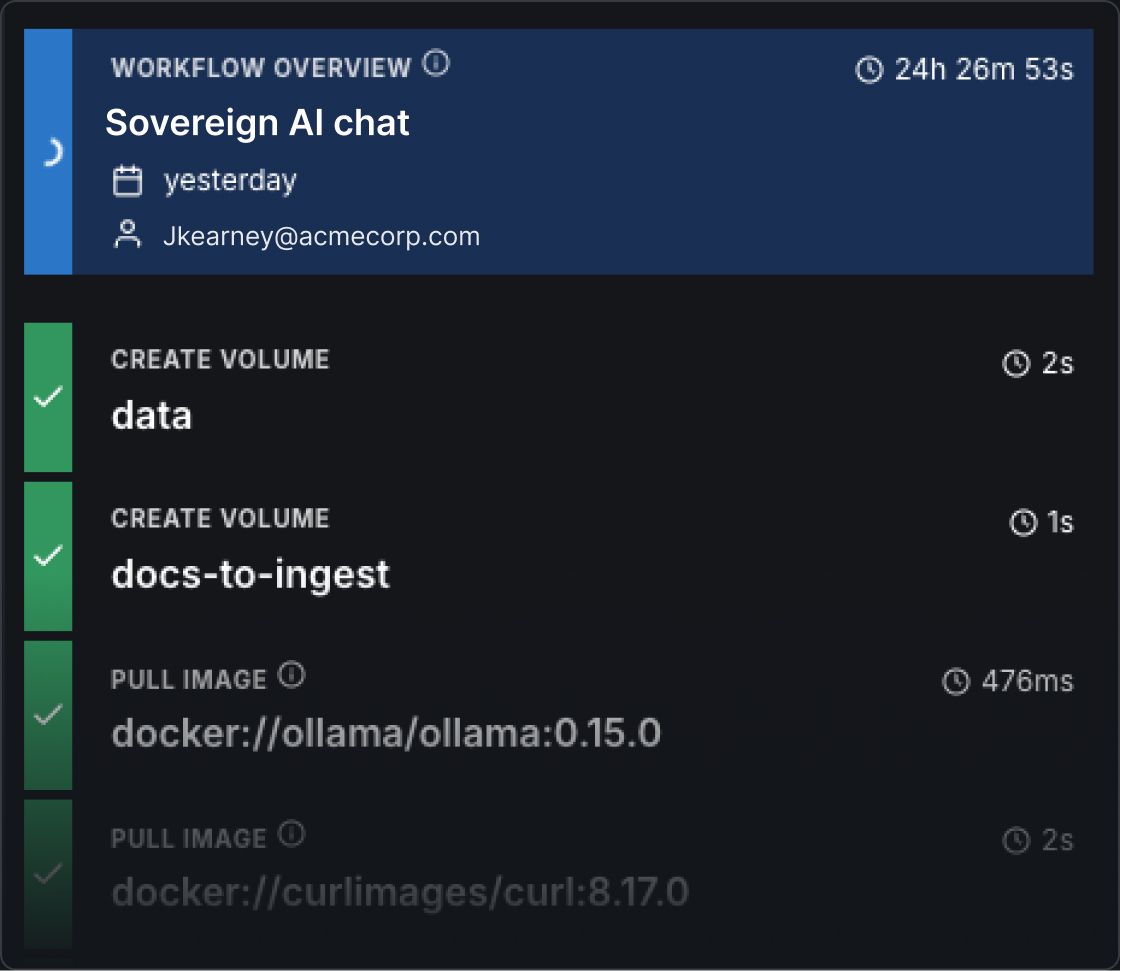
Fuzzball works through a dependency graph and each service starts only once the one it depends on is fully running. Here is what runs, in order.
download-models starts first. Ollama runs temporarily in CPU-only mode, pulls the selected LLM and the RAG embedding model into a persistent storage volume, then exits. This ensures the model is available before the inference backend starts.
ollama starts next with full GPU access. Models load from the persistent volume into active GPU memory and stay warm for fast inference on every subsequent request.
open-webui starts once Ollama is running. It connects to Ollama through Fuzzball's internal DNS and exposes a browser endpoint protected by Fuzzball authentication.
ingest-documents runs automatically if you provided a document source, fetching the files and uploading them through the Open WebUI API into a persistent vector database.
verify-stack runs an optional test prompt through Open WebUI to confirm the knowledge base is accessible and the model is responding.
The whole sequence takes only a few minutes: Fuzzball provisions compute instances, pulls containers, downloads the model, and prepares all the necessary services. When it's ready, a single "Connect" button routes you to your new, custom AI service endpoint, wherever it's running.
Step 4: Click connect
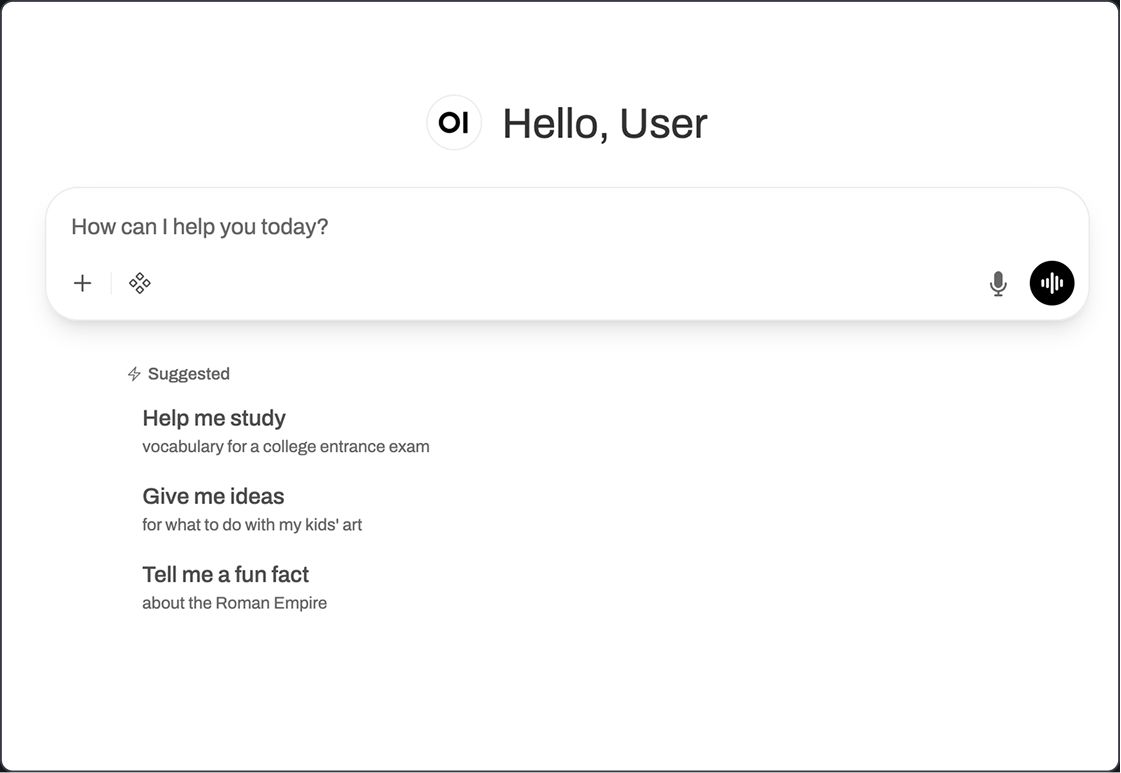
When the workflow completes, the connect button appears in the Fuzzball UI. Click it and Open WebUI opens in your browser. Select a model from the dropdown, start a conversation, and if you loaded documents, they're available for context. The model can reference the knowledge base in its response.
Your LLM is running on your infrastructure. The conversation stays on your hardware.
Choosing your backend: Ollama or vLLM
Ollama is the default, and a fine choice for many who are getting started. For teams serving many concurrent users or running large models that benefit from multi-GPU deployment, the same process can swap Ollama for vLLM. vLLM uses continuous batching and paged attention to handle concurrent requests efficiently and supports multi-GPU parallelism for models that do not fit on a single GPU. The frontend experience is identical: Open WebUI connects to vLLM through its OpenAI-compatible API endpoint.
The practical difference: Ollama for an individual or a single team's internal AI assistant, vLLM for production-scale inference serving multiple users or large models.
Swapping models
The model is a parameter, not an architectural decision. To run a different model, open the workflow form and change the model name. Fuzzball pulls the new model into the persistent volume on the next run and the rest of the stack stays the same. The 7B and 14B variants of Qwen-Coder fit on a standard 40 GiB GPU. The 32B variant runs with the vLLM backend and multi-GPU tensor parallelism. Any open-weight model (with many available through Ollama's model library and the HuggingFace model hub) can be deployed for internal, sovereign use.
Where to go from here
The same workflow definition runs on-prem, on GCP, on AWS, or anywhere else Fuzzball can run. Run it in AWS today while you evaluate the model. Move it to your on-prem GPU cluster tomorrow. The workflow does not change, and neither does anything your team learned to use it.
- Browse the workflow catalog: ui.stable.fuzzball.ciq.dev/docs/workflow-catalog
- Full documentation: ui.stable.fuzzball.ciq.dev/docs
- Download the technical brief: ciq.com/solutions/sovereign-ai
Built for scale. Chosen by the world’s best.
2.75M+
Rocky Linux instances
Being used world wide
90%
Of fortune 100 companies
Use CIQ supported technologies
250k
Avg. monthly downloads
Rocky Linux


