GPU-ready in minutes: AI development on Azure with RLC Pro AI
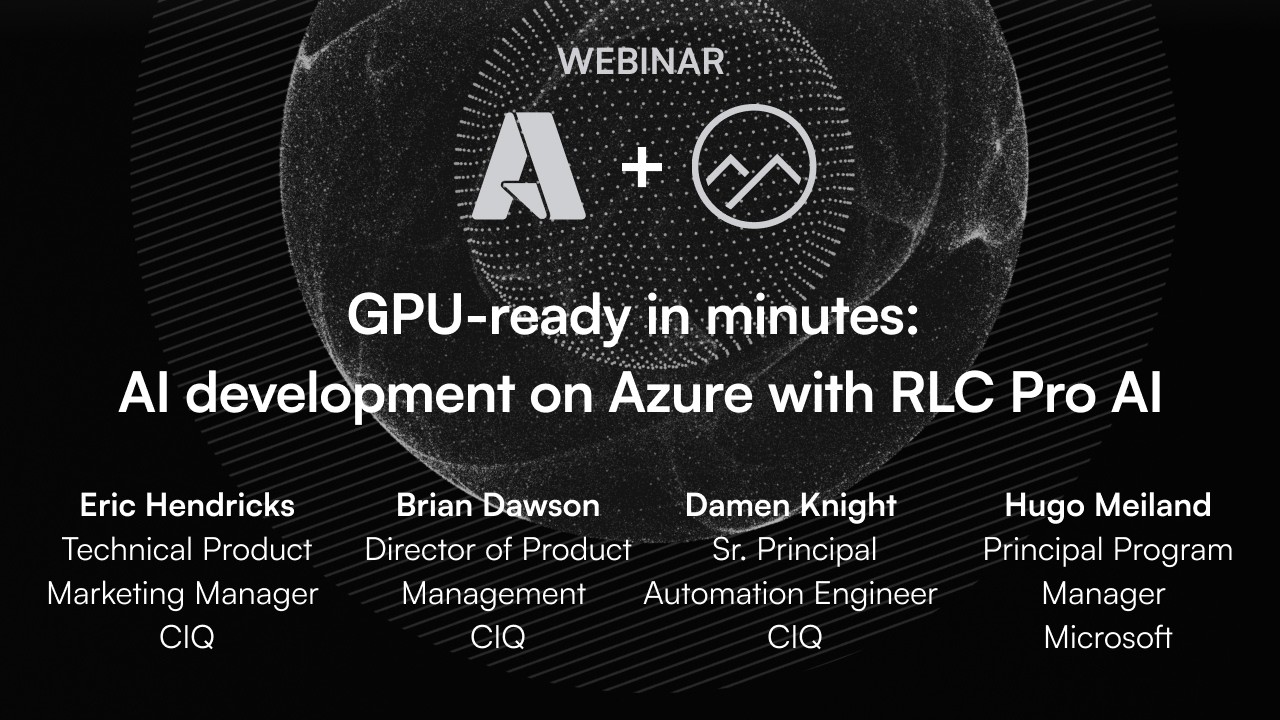
Host Eric Hendricks brings together CIQ's Brian Dawson and Damon Knight and a member of the Azure core engineering team to show how RLC Pro AI on Microsoft Azure shortens the path from local AI experimentation to cloud GPU instances. The opening discussion covers the friction most teams hit: scarce GPUs, a fast-moving stack, and the days that disappear into driver versions, CUDA mismatches and Torch builds that silently fall back to the CPU. Knight's best-case scripted setup on a general-purpose distribution is 13 minutes; realistic efforts run hours to days.
Two pre-recorded demos follow. The first installs Docker and the NVIDIA container toolkit on a fresh RLC Pro AI host with an H100, then launches a Jupyter Notebook container and runs CUDA matrix math to prove the GPU is in use. The second, on an RTX Pro 6000 preview host, uses Ollama with Microsoft's Phi-4 model and the OPEA ChatQnA reference implementation to build a retrieval-augmented chatbot that answers questions from an uploaded PDF in roughly ten minutes.
The session suits AI engineers, R&D teams and administrators who want a familiar Linux environment for AI training and inference in the cloud. It closes with what is coming from Azure and CIQ, including RLC Pro AI containers and security-hardened images for sovereign AI.
Key takeaways
- Manual GPU setup on general-purpose Linux takes 13 minutes with a proven script at best, and hours to days when troubleshooting drivers, CUDA and Torch.
- On a fresh RLC Pro AI host in Azure, the Jupyter demo spends more time installing Docker than getting a GPU-backed notebook running.
- The ChatQnA demo combines Ollama, Microsoft's Phi-4 model and the OPEA reference stack to produce a RAG chatbot in about ten minutes.
- Azure VM types are homogeneous across regions, and the local NVMe resource disk at /mnt gives extra performance for container scratch data.
- Sovereign AI means hosting and fine-tuning your own models so sensitive data never leaves infrastructure you control.
- CIQ plans RLC Pro AI OCI containers, bootc images and security-hardened containers, plus tuning for time to first token and latency.
Questions this video answers
How do you deploy RLC Pro AI on Azure and run Jupyter Notebook with GPU acceleration?
Deploy the RLC Pro AI image from the Azure Marketplace on a GPU instance such as an H100 NC-series VM, SSH in, install Docker and the NVIDIA container toolkit, and set NVIDIA as the container runtime. Then run the Jupyter container on port 8888 and execute CUDA tensor math to confirm the GPU is being used.
What does the RAG chatbot demo on RLC Pro AI use?
It runs Ollama as the LLM backend with Microsoft's Phi-4 model and deploys the OPEA ChatQnA megaservice via Docker Compose, which pulls Redis, Hugging Face and NGINX components. After uploading a PDF about RTX hosts on Azure, the chatbot answers questions grounded in that document.
Why move AI development from a laptop to Azure GPU instances?
The panel describes a journey from exploration to experimentation to production where local hardware runs out of headroom. Azure offers A10, H100 and RTX Pro 6000 instances that can be rented for a few hours of fine-tuning and released, and a pre-validated OS avoids wasting expensive GPU time on setup.
About this video
Your local machine got you started with AI development. Now your models need more power than your laptop can deliver, and managed AI platforms feel like they're locking you in. This session shows how to move from local experimentation to Azure GPU instances.
We discuss RLC Pro AI on Azure NV-series (A10), NC-series (H100), and the newly GA RTX Pro 6000 instances, walking through real-world AI developer workflows: running Jupyter notebooks with GPU acceleration, fine-tuning a model and running it with Ollama to validate the results, and deploying a RAG-based Q&A service. CIQ and Microsoft engineers walk through the actual setup process, from Azure Marketplace deployment to running your first inference.
Whether you are an AI engineer who wants a familiar Linux environment in the cloud, an enterprise R&D team moving beyond your laptop, or a developer who finds managed AI platforms too restrictive, this session gives you a practical, tested path from local experimentation to production-ready cloud infrastructure.
This video is part of the RLC Pro AI playlist. Browse every CIQ video by product and topic.
Transcript
Good morning, good afternoon, good evening, wherever you may be hailing from. This is a CIQ webinar series and today we're talking about G. Wow, we're doing great. 7 seconds in. We're talking about GPU ready in minutes AI development on Azure with RLC Pro AI. I'm your host today, Eric, the IT guy, Hendricks. And as you can tell, I talk for a living. So, it is a good thing that I have people that are much smarter than I am here to uh to back me up. Today, we're going to be talking about how to use RLC Pro AI on top of Azure infrastructure to get to your first inference much much quicker.
We've got a few pre-recorded demos because, let's face it, no one wants to watch a 4 gig um AI um model download in the middle of a live webinar. So, we've pre-recorded a couple of demos, but should be a really great time. Love these guys. Very, very smart people. With that said, let me bring in uh my my returning guest, Mr. Brian Dawson. Brian, welcome. And uh for those that don't know you, could you uh could you give us the the 60cond elevator pitch on who Brian Dawson is? >> All right. Uh thanks for having me back, Eric. Um so, Brian Dawson is a complex per No.
Um so I I am uh I am director of uh product management a director of product management at CIQ. Uh I'm responsible for delivering on our um so far proven thesis uh that the world needs workload optimized versions of Linux to uh close out uh at least 80% of that gap that people spend tuning general purpose Linux for workload. Uh, so in particular, I'm excited to have worked with a fantastic team here to have recently brought Rocky Linux from CIQ Pro AI, optimized for AI workloads in production to market. >> Awesome. Well, thank you for for coming back. You're you're becoming a regular staple on the CIQ webinar series, so I'm glad to have you.
>> Yeah, we're getting to know each other well. Getting to know each other well. >> At least picking on each other. There's there's that much. and also a returning guest. Uh he told me in in pre-show that this is his favorite thing to do week in and week out is come up with demos and be drugged onto recordings. So with that said, welcome back Mr. Bri Brian. I looked at Brian and said uh welcome back Damon Knight. Damon, could you introduce yourself? >> Yeah, absolutely. It's good to be back, Eric. Uh thanks for having me. As Eric mentioned, my name is Damon Knight. I am a senior principal automation engineer at CIQ.
View full transcriptHide full transcript
Uh, and I'm kind of our in-house general purpose AI nerd. Uh, love it. Spend all my time breaking it and doing horrible things with it. It's great. Uh, and and in my spare time, you know, hopping on to webinars with wonderful folks like you. Awesome. And so, uh, for the second webinar in a row, we actually have a not CIQ guest that I'm really excited to introduce. This webinar wouldn't be possible without our friends over at Microsoft Azure. And uh joining us is our friend Hugo from uh from the Azure team. Hugo, could you introduce yourself? >> Hey Eric team, my name is Hilant, part of the uh Azure core engineering team.
Um our larger team is responsible for all the specialty VMs in in Ashure. That means anything with the GPU card, Infinity card, Infinity Band card or any kind of other accelerator. Um also we uh we own the uh different software tools that are being used in the HPC environment. Um and of course we've seen a huge jump on the AI usage. So really glad to work with you guys on releasing this new um AI pro image um with CRQ and hopefully present here uh some of the goodies out of that. >> For sure. I I have previewed the uh the demos and they're just really cool the way you can get from it's the Azure marketplace to I have a thing that I can ask questions to.
That's it's so cool. I'm really excited about today's topic. That said, if you are watching us live, there is a chat function in your window. Feel free to give us a shout out. Let us know where you're listening from. And if you have any questions for my amazing panel of guests, uh feel free to just throw your questions in there. We'll do our best to address those as we go. If not, uh, we'll have a dedicated Q&A session at the end of the event. Also, the, uh, CIQ team is available for you to reach out and ask any questions that you may have, whether that's sales or support, we are here to help you.
Uh, with that said, that kind of brings us to the end of housekeeping and introductions. So, let's let's uh, let's dive right into this. I want to kind of talk about kind of the state of AI as a whole. I want to start at the kind of the industry level and and kind of work our way down in into the nitty-gritty. Um, so just about everyone I know, every systems engineer, every automation engineer, Damon, uh, are are working towards this idea of I I can I can write a script to do this or I can write an anible playbook to do this, but what if I didn't even have to do that?
What if I had a thing that I could just talk to and it goes and does some other things? And so just about every organization out there, everyone that I talk to in my network is talking about the same thing, AI. And we all know that GPU infrastructures, our GPUs themselves are kind of hard to come by right now. Uh which is probably why we're we're talking about Azure today. But Brian, I want to pick your brain. Is is that kind of what you've been seeing in the industry? kind of uh kind of this frontier approach to this technology. >> Um wow. Well, at first I'd probably been seeing um a little bit of everything in the industry, right?
And I think if we lean into uh uh your statements in the part here, what I've um I've seen a lot of is I've seen individuals and enterprises um on a on a fairly consistent journey when it comes to understanding, adopting and uh and and productionizing AI. And I'd say, you know, largely that goes from exploration to experimentation to implementation. Um what are some friction points we've seen? Um a couple of things is look getting GPUs is hard, right? Um two is um um there's this, you know, pretty rapidly developed technology uh that most people that are working in an enterprise environment are kind of forced to quickly learn and understand, right?
So I've seen a couple of things happen here. GPUs are hard. I don't fully understand it. Um, so I'm going to outsource the stack. I need our cloud providers. I need people like Azure to make sure that I could tackle this journey at the pace that I'm being asked to do. Um, um, and and that sort of you know helps overcome the hardware. Now I also think and as we'll talk about today we're seeing this individual journey of I've started exploring with AI on whatever hardware I have available my corporate laptop my home laptop um a desktop um and I've gone from exploration I'm well into experimentation and now I need some more serious um horsepower underneath what I'm doing um and that's you know an opportunity to yes I'm going to move to the cloud out or yes, I'm going to, you know, stand up a more efficient box.
Um, but then I also have to overcome a skills gap, which is what is the OS that I can lay down and run that will allow me to leverage my hardware, set it up quickly, and spend less time with it, right? I think it's those problems where we're sort of intersecting today here with Microsoft to solve. >> Yeah, I would I would definitely agree with that.
It's it's a challenge and and one thing we didn't mention >> well if you told me you didn't dis if you told me you disagreed it and make it kind of awkward there >> this this is true but one one point we didn't talk about was was this idea of sovereign AI sure I could go spend 1999 and go spin up claude or chat GPT but do I really want to do that if I have personal personally identifiable information if I have health records? If I have financial records, if I'm working, say, on a road map for a proprietary piece of software that my company's going to be releasing, do I really want to expose that to something that may or may not be available to my competition?
So, this idea of sovereign AI comes around where I can host my own instance, my own AI, and I can train it on my own data and really fine-tune its responses for something specific. >> Yeah. Yeah. And I'd say and by the way just to add to that before we move on and and in that just can I own more of the stack right from the hardware up when we talk sovereign there's there's uh you know there's the the building fine-tuning and hosting of my own model so I don't have to send it out over an API. Uh but then as we talk about here sort of uh AI and depth to borrow from defense and depth, right?
Can I can I have some confidence in sovereignty by knowing um that I've built and I control the stack all the way up to that frontier model? >> Definitely ju just to have a remark on that and what we see and and that is really important. I mean the whole sovereignty question I I think we can talk two hours on on that alone. So I I won't go into deep too deep on that but but talk to your account manager they can tell you all the precautions that we take at Microsoft to make sure that your data is secure and and we have a whole statement on that.
Anyway, coming back and that is one thing I I think is really important. >> Working with Linux in an interactive way and being able to understand and and build your own stack and working with that in detail is I think one of the biggest reasons why we wanted to partner with you so uh so dearly to to make this happen. um that that uh point of learning, understanding and and growing um with the stack and with the operating system is is I think the emphasis here that that we see that a lot of um engineers, developers, data scientists are actually asking for. Yes, we have foundry AI.
We have this big SAS platforms where where you can do your AI. But there is the point where you say, "Hey, I want to understand it. I want to work with the nitty-gritty details. I want to be able to tune it, um, change it, modify it, and be in this open source environment where I have the freedom to make my own choices. So, yeah, this is this is really what we're what we're hoping to get out of this and and what what you guys demonstrated that you can deliver on. So, thanks for that. >> That's awesome. And really appreciate the the input there. In fact, that's kind of a lead into my next question of what what are you seeing from the Azure side and is are you seeing kind of the same thing people are looking for opinionated builds?
>> So, and and you have to be a little bit in careful of of my role and I'm I'm sort of like not not entirely um uh objective on that point. in my role um I work with some of the larger partners and and customers on Azure and therefore I always have this sort of like predefined of ID of we're working for enterprises if if we deploy something it know doesn't only need to scale for the engineer and the 10 people next to them but also for the 5,000 people that are working globally on this same and want to use this same tool or or grow even further.
So from that perspective that that that view is a little bit skewed but what what I am seeing is that especially data scientists and engineers that um that that really want to understand it don't just want to use a tool and and click together something uh that works but want to take next step and understand like hey what do the the models do what does it actually do within the computer environment in the operating system with my memory with my GPU that is the point where where we a a strong ask on how do we do this in a Linux environment that that we can uh that we can easily use, easily set up, get started and and get to um let's call it production.
I mean don't don't call it just a playground but to to a production environment and and make that next step. >> That's awesome. So Damon, and I I know I've asked you this in in previous uh webinars, but the your your answer is just so beautiful at this point. Um it's like I've asked you this a half dozen times, but what uh before getting something like RLC Pro AI involved, what does a typical deployment process look like for for an AI workload? >> Yeah, you you do enjoy uh tormenting me by making me remember what my life used to be like. No, it's a >> little PTSD >> a little bit, you know.
Um I've, you know, I've done this process so many times at this point, right? on on so many different Linux flavors uh you know Iuntu and and Red Hat and and SUSA and and obviously RLC and depending on the specific OS version you're on the hardware you've got what you're trying to do man good luck right you have to figure out the right drivers uh and you know are you getting the open source drivers the proprietary drivers are you getting the data center drivers? Are you getting the consumer drivers? It's a billion things. Uh do you have CUDA? Are you getting Torch? Um you know, my my story that that Eric always loves and I because I pick on Iuntu a little bit, uh is you know, uh Abuntu 25 and Abuntu 24.
If you you know, they they Nvidia doesn't ship all of the things for Auntu 25. You have to know that you need to go and install the the 24 versions. uh you know, oh hey, the the drivers come with CUDA, but not the CUDA toolkit, and you probably actually need the CUDA toolkit, and you don't even know it, right? Uh you know, is Torch compiled for your CPU or your GPU? Boy, I sure hope you remembered to compile it for your CPU, or or you're going to be wondering where all of your tokens went and and if you're very expensive GPU is broken. Uh you know, it's a there might be reboots involved.
I mean, this is best case scenario. you know, I've I've done it with a, you know, a copy and paste with a a checklist in front of me. It's it's a 13 14 minute job best case with if you get lucky and there's no reboots. But no one is getting that lucky, right? Uh realistically, you're spending hours to days researching up front to find all of those things and put your checklist together. Or if you're not, you're discovering that you did it wrong and you're going back and fixing it and rebuilding. Uh it's not something that I like remembering. Uh but it is something that I really enjoy not having to think about now uh with with RP Pro AI since I can just you know I I install and now I can just start doing whatever it was I actually wanted to get done.
>> If I may add Eric you know um so uh couple of points on this I'll try to hit real quick. So thankfully um um we have Damon here to feel the pain on a regular basis right that I don't that I don't have to um now I myself like so we're we'll talk a bit about proumer hardware right and what we support and what we've deployed um um uh against within it right real sort of data center scale hardware as well as proumer hardware look I myself like of a lot of like you would see with data scientists and researchers or people early on. Um, however, I haven't had the the privilege of having access to that.
I haven't had the privilege of a laptop with a 5090 in it that I can work against. I, you know, had to buy my Dell, set up my Dell. And, uh, frankly, you know, with all of the reboots, the the Nuvo blacklist, the I've lost my card, I'm now headless, I need to SSH in. Um, I I was originally embarrassed to say I suffered in quiet that when all was collected with other things I had to do, I spent days getting my box set up, right? And as I said, look, it arrived. I couldn't wait. This thing is going to land. Um, I had a whole exciting 24 gigs of VRAM and I'm going to do all these things.
Uh, flash forward four days later and I'm just kind of getting started. So, I've sort of um felt the pain and when we talk about the individual journey, I think we see a lot of that. Now the other thing I wanted to add is you know I had the privilege of uh briefing analysts as we went to market. We had a lot of debate internally like what number do we put on what we're saving with setups. Damon has some firm and exciting happy path numbers but what it does it look like in reality ultimately because um we tend to deal with um very deeply experienced system administrators that have been dealing with accelerators and and accelerated ML workloads for years.
like, "Well, yeah, you know what, Brian, it's not that hard." Right? I then got on, I briefed analysts. I said, "Hey, you know, we save people, you know, 30 minutes to a couple of hours." Guys stopped me and said, "I love everything you're saying. Everything you're saying is right, but you guys are woefully under um under indexing the pain that it is." Um said it. So I just want to close in a little longer, but Damon to your to your statement of I I think you said no one experiences the happy path and I'm starting to get signals that that may be very >> well it's it's one of those rights of passage nowadays.
I think before you just go and use a tool like RLC Pro AI just just like in the automation days before you go and automate something you should build it by hand. you should definitely go out and try and get Oama running by hand with all the nuvo blacklisting with all the driver matrix trying to guess which versions and and Damon pointed out I like to pick on Ubuntu only because they're just not enterprise Linux but um but uh it it's it's kind of a right of passage but once you've done it once you just it you've got work to do and if you have a fleet of 50 servers you don't want to have to go through this and and play with because those numbers are anywhere from 13 minutes to 4 days.
As a systems administrator with a deadline, I can't I can't tell my boss, well, I don't know could be done this afternoon or it could be done next week. That that just doesn't work when you have some kind of a capital project. And so what what's nice is I can I can offiscate a lot of the hardware questions away by just using the Azure marketplace. And then with RLC Pro AI, I can offiscate more of that away by using something that is pre-built. And and I always warn my guests that I tend to go off script, and I'm about to do that right now. So, apologies to the three of you.
But there there's there's this whole idea of just trying to get the most out of your system uh that you can without without having to sacrifice too much. is is the investment upfront worth the worth the time savings later on? Um, so actually no, I'm not going off script. So, yay me. Um, but for for years, I used just I would go out to the company's website. I would download the ISO for the latest version of their Linux distribution, whether that was CentOS or Red Hat or Rocky, whatever the case may be. Downloading that ISO and just installing it on a pile of Dell Power Edge servers, and away we go.
And then you just kind of tweak things as as you went. But I just I I think we're at a point in the industry where this just isn't going to work anymore. Workloads are far too demanding on hardware. Hardware is far too scarce. It is far too expensive to expand or replace hardware with the with the state of the economy these days. So you're in a position where you've got to collect every bit of horsepower out of your systems. And Brian, I think you said something brilliant, but you were on mute. >> Always brilliant when I'm on mute, as you know. Um but not as brilliant when I come off mute.
Um, no, I was gonna say or just to leave it idle, right? A GPU hour is very costly on many dimensions. So, I just was just adding that, right? We want to get the most out of it in terms of when it's running, are we maximizing it? Right. Um uh uh uh but if I secure an instance on Azour, a bare metal instance on Azour, and I'm waiting while I'm tweaking and getting my stack built out and going, um there's real opportunity cost and and that is that does also factor into your utilization, >> right? >> It it it goes even further what we what we typically see from from users and engineers who want to do a a retraining or fine-tuning like every two weeks or so.
They're not going to build up and and sort of like rebuild that complete system every two weeks. They need something where they can be up and running really really fast, use that GPU and give it back because I mean it's I know it's pricey and um and and we have we have uh the the possibilities to to um and and I think that that is one of the unique propositions uh of of doing this on Azure. I know that you want to do this on your laptop or on a bigger machine at home or or in the office, but at some point you need that big what is it?
H100 with 80 or 96 gigs of of memory because you you need to have this model that you need to validate like is this the way to go? You want to train it for a couple fine-tune it for a couple of hours and then get off of it and and be able to compress it and and do inferencing on the smaller environment. So those are the kind of tricks where we try to help you in uh giving that that environment for a couple of hours and then you need to be really really fast in deploying getting it up and running really quickly and do something effective and useful with it.
>> Yeah. >> So this is probably for for Damon and and for Hugo. We're we're seeing this drift away from general purpose Linux uh which is kind of what we're talking about here just installing installing hardware installing an operating system and going what what is it about these AI models that makes it so demanding on this hardware? >> Yeah, you know, we've we've talked about this a little bit in in the past, right? Uh general purpose servers that we've all lived with for for the existence of the internet, right? have have basically been very very general purpose. Um, so cool, right? You just you throw an operating system on it and it's just going to work and to do what you need and like everything else tends to be software.
Um, and and now we're entering this world where oh oh crap, right? The the hardware really matters and it's not uh homogeneous, right? It's it's really different. It's really varied. Uh, and it isn't just a matter of, oh, right, I throw a piece of software on there and I'm good to go, right? It's it's a again, you know, we we said before, right? It's it's that is it the right software for the right hardware and configured in the right way that's going to work together and we can't, you know, we we can't make the the assumptions that, oh yeah, it's just going to work. um that that you can make where you know if you're just writing some code for you know an x86 instruction set that's we we know how to do that at this point right it's it's not that that big of a problem.
um we're we're moving the workloads from being in, you know, uh CPU and and kernel time to, oh, hey, this lives on a PCIe device or, you know, an HBM or or whichever uh crazy things Nvidia is coming up with now for for memory bandwidth. But, right, it's it's we don't want to talk to the colonel. We don't want stuff to go there. those scheduling changes like so many things just don't apply the way they used to uh in this kind of AI world uh at least yet who who knows what the future holds. >> It's awesome and I'm I'm I'm really you probably see me smiling and smirking while while you are saying this.
So I I've been I come from a different background. I I've been doing HBC for all my life now. Um so I would say close to 30 years. uh having supported national supercomputing systems and meto supercomputing systems for a long time. Um so it's it's so awesome that this point of um getting to specialized hardware and and to really drive that abil uh that um ability to use that hardware to the to the last possibility and and push it to the edge that that is now coming to the engineers and the data scientists um the normal people. so to speak.
So that that is really awesome and and that is one one of the things where I I think that um and we we probably go a little bit of deeper into the kernel tuning and and the things that you are doing in this specific distribution and OS for for pushing those boundaries but but coming out of the HPC world this is really awesome to see and and like I would say five six seven years ago we we we have been looking at at how this AI has been sort of like stepping up and uh nowadays we see that um especially Nvidia is making those choices
in their newer generation of GPUs to say hey we're stepping away from doubleition and on the other hand we're we're um putting in this FP8 FP4 capabilities specifically for AI spec so we're we're driving real change on silicon to support this uh this new world in a more efficient way. That's awesome to see from technology point of view. So um and and yeah, it's it's really important for um for the the new data scientist to be able to make use of it. I mean, it's there. It's it's going to be uh we're going to have more and more exotic I call it exotic specialized hardware. Um and and we're doing it the same.
We have the Maya uh GPUs now online for our production workloads and and we are already working on newer generations of that and we're going to see that more and more. So yeah, I hope that answers. >> I mean to be fair I think exotic sounded a little cooler. >> I go back to the exotic heart rhythm. you you uh trigger for me and I'll call out look as a a a person that um you know I joke getting a little personal uh uh my dad did computer AED design was a mechanical engineer um he used to uh he used to worship the cray I
walked around with your pictures of crayes around my house but HPC is new to me coming into CIQ um frankly right um and it is actually exciting to see this exotic thing that's for you Eric this exotic uh sort of technology practice and domain kind of move out to the masses and me to sort of under understand it. Uh you just triggered for me and I just wanted to get in this idea of course of what we're hearing from AMD a lot. We're hearing it from Nvidia. Um but it also speaks to general hardware software life cycles when we're looking to get the most out of the hardware and that's hardware and software co-optimization.
I did have the privilege of early in my career working closely with Shinji Okamotasan, the person that designed the geometry transformation engine for the PlayStation and him telling me as a young engineer, you know, Brian, what's important with what you guys are doing with the libraries and software is um we have a thesis, we bake it into the silicon. Um you guys then go out and use it. Uh we learn from what you do and we iterate and we bake that back into the silicon, right? sort of this hardware and software co-optimization that we're seeing happen at a rapid cycle. Now, what gets me excited here about this conversation is pro AI uh conversations that we're having about the RTX, the 8100 and our work with Azour um is a version of that um of that hardware software um co-optimization cycle, right?
Um and I think what we say is the OS itself can't live in isolation. That's kind of what Damon said and Hugo said, right? And this this important expensive hardware can't live in isolation either. Um they need to be co-optimized together. >> Yeah, it's it's it's a symbiotic relationship between the hardware, the firmware, the software, uh the the end data that comes out of it. It it all has to work together. It all has to be working out of the same playbook. U the the same thesis to to use Brian's word. Um and I think that's really important. >> Exotic. >> Exotic. Would that be exotic?
>> This is going >> We take ourselves just seriously enough at >> um so I I want to show this off. Uh I I Damon spent days before he took uh some PTO getting these these demos together. Again, they're pre-recorded. Normally, anyone that has followed my career knows I love live demos, uh, even when they blow up. But I don't want to sit here, and I know you don't either want to watch, you know, 4 gigs worth of AI data download off the internet. So, we're not going to do that. Uh, instead, I've I've taken Damon's demos and kind of compressed them down, and we've we've sped up some of the some of the package installation pieces and that kind of thing.
So, we have pre-recorded demos, but I I promise you that they're they're genuine. Um, I have Hugo here to to validate just to sh say that yes, this is this is Microsoft Azure and I've got I've got Damon here to validate. Yes, this RLC Pro AI. So, we we've got a couple of of demos that I I want Damon to introduce. I I figure maybe we start with Jupiter, but before we just dive into the demo, can you explain for the uninitiated what Jupyter Notebook is? Because when we when you get into AI that Jupiter's everywhere. Yeah, it's uh I'll be honest, it's uh it was a new tool uhish for me.
Uh I I understand that in certain parts of the industry, it is really really popular and wellknown especially among data scientists uh and and AI and ML folks um because it's basically a a really cool friendly uh web interface to live work with Python uh and other things. It's it's a little hard to to really kind of sum up because it's a weird and really powerful tool. Uh but but it's kind of great, right? You have you have a document, you can write code and run it and see your results right there and like have multiple people interact with it and all that. Uh but for for the purposes of this uh we just threw together a quick demo to show it running uh on an H100 system in Azure uh and validating that it can talk to the GPUs and use torch and all that cool stuff.
Uh that >> quick remark Damon and and um I I know that you you guys you can you can see the age of people on sort of like color of their hair and I'm I'm starting to turn gray here as well. Um but you knew you know that you can uh read so much about the editor and the tool they use. So SSH and VI is definitely for the computational chemistry folks. They they won't walk away from that. the mechanical engineer and the cat guys, they stay on these gooies.
they they want to have a mouse to click towards and and what I've been seeing sort of like what in in my time at the university like 50 years ago the Jupiter was sort of like coming up out of the biosciences groups bioinformatics that is where where it came from and and the AI folks adopted it really really fast and so yeah and and cool for you guys to to see um to see that that this is being adopted then as a standardized tool in in environment as well. So, awesome. >> All right. So, I'm going to pull up your demo here, Damon, if you want to walk us through it.
>> Sure. Uh, so this is a brand new like just installed, did nothing to it, uh, RLC Pro AI host in Azure. And I SSH in and I'm immediately just, hey, let's get uh, Docker uh, installed and and set up. Uh and basically that's going to go straight from this to basically saying hey you know let's let's use uh Nvidia uh for for the container configuration uh so that it can access the the GPU properly. Uh so this is all just the the standard Docker C installation. Nothing nothing too exciting yet.
But you know again right this is this is time where uh you know on again I'll pick on abuntu but pick you know OS of your choice you're you're installing drivers at this point >> we're just going probably not entered your your uh your mind >> right just enable and a start there for docker >> so as as a remark and and that is something I will work on on with Damon as well when when doing this kind of tools um It's it's good to learn a little bit on how the Azure VMs look like from a from a hardware perspective. The good thing is they're homogeneous.
If you pick a VM type in every region, they're exactly the same. So especially when when running these containers um there there are of course it's the base OS image where a lot of the stuff is but there's also a a slashmount or a uh slashmount resource disk uh which is actually a local um scuzzy or local uh NVME disc. It gives you a lot more performance uh especially if you're pulling in some containers which which are sort of like intermediate data anyway. So, put it on the local uh scratch disc and and take that extra performance. >> Nice. There you go. Good tips from Hugo.
>> I was going to say I wouldn't have even thought to look there for for something like that. That's awesome. >> Uh so, let's see. Looks like we just installed the Nvidia container toolkit. >> Yep. Uh so now we should be getting ready. There we go. To make that be the runtime. And now restart Docker so that it actually does that. Again, this is just going, hey, hey, let's use that GPU. Let's let's, you know, uh, not use the CPU. Uh, and this real quick is just doing a quick, hey, let's pull a quick container and run Nvidia SMI from within it to validate that it can in fact see the GPU.
There we go. Uh, there is our uh, H100 system. Again, this is just making some some folders uh and then configuring uh the actual Docker run. Um you're going to notice here I'm I'm setting up, you know, a port uh 888. This is the the port that Jupyter Notebook is going to be looking for. Uh and I believe there are some uh yeah, here we go. The the token uh which is just basically a quick initial password that we put on it. Um, since since I do uh open these up to the entire world while I'm filming these demos, I like to leave a password on it just to be safe.
Uh, don't ask. >> Now, you've published your password to the to the entire internet as well. So, now you're going to have to you're going to have to change your your password. >> Exactly. Uh, and but here you go. It's downloading uh all of uh the containers and and all of the necessary pieces for Jupyter Notebook. Uh thankfully this one is is relatively small as our demos go. Uh again here just kind of demonstrating in uh the uh Azure portal uh me creating that really terrible open to anyone in the world uh 888 port forward uh that that I don't necessarily recommend folks do for real but for >> no just just to be sure there there is there is this button on top when you do that that just picks out your own IP address where you are coming from from the portal.
So >> I do as a as a standard. >> Yeah. When I when I do that for for real things I'm building, I always click that button. That button is my friend. >> Yeah. >> We're monitoring the security. Uh and and so from from here, right, we we can actually browse to the port. Uh the container is up and running. Uh log in with that password. And here is Jupyter Notebook. Uh and I'll go ahead and I think that's in the next video, I'm guessing.
Uh fire off. >> There it is. Oh, >> I was having some having some uh video issues earlier. All right, that's that's okay. We can we can watch me read the security role. >> That's actually the end of the video there. So, apparently even pre-recorded demos are not infallible. >> Can you walk us through what that final step would have been? Apologies. >> Yeah, so the the final step honestly was just pasting some Python in um that basically did some uh tensor math to validate that it could see the the CUDA corores and could do tensor math. Um some basic, you know, multiplication and stuff like that.
Nothing too fancy or exciting, but just kind of showing that last little bit of a Jupyter Notebook actually running uh some some sample Python code. Um thankfully uh for those of you watching uh I'm sure somewhere we're providing links to where we have documentation for folks who want to run these demos. Um those links will include all of the the things including uh that copy paste Python uh so that you can follow along and see for yourselves that it does in fact uh generate beautiful output. And Damon, can I ask I get a comment. You and Eric have spent time uh on this. Of course, we all have collectively worked on it a bit.
You've carried the work. Is um that was effectively real time, though there was some chopping and compressing. That was effectively real time, right? And uh Damon, at this point, I'm still trying to find the right drivers and compile Kods. I think usually, right? >> Yes. Yes. You're you're there's Yeah. At this point, you have not even gotten to the beginning of this installation process on on anything else. All right, let's let's see if this time it likes me better. Yeah, there we go. Again, just really basic matrix multiplication with CUDA >> H100. Yeah. >> And there we go. I clicked run, it ran. Uh and there we've got uh some some output and the demo complete.
>> Nice. That's so cool. And you know, shame on the host for not double double-checking the video before uh putting it live on air. But I don't know, Kaden live today was being was being fickle about uh anyway. Um joys of of being in technical marketing. Uh so that was just Jupyter Notebook just getting something spun up. It it actually took more time to get Docker installed and configured correctly than it did to spin up a an application as complex as Jupyter Notebook and then just do some basic hello world type operations on it. So I I find that deeply uh enjoyable. U but we have a a a little bit more involved uh demonstration that I'm really excited about.
You want to tee that one up for us? >> Yeah, this one's really really cool. Uh so there is uh a an organization uh open platform for enterprise AI that that Microsoft and some other folks are are participants in. Uh and they've built some really really cool um proof of concept and reference implementations of all these cool generative AI microservices and megaervices. And one of the ones that they've got there is this thing called a chat Q&A uh which is a cool mega service um that lets you basically build a a rag chatbot, right? Retrieval augmented generation something like that. You you throw docs in it, it can read the docs and kind of answer to to your documentation.
Um it's really really cool uh and shockingly simple and straightforward uh between RLC Pro AI and the the great um you know references that uh the Open EA folks uh have have created. So let's let's just jump right on in. Um this one I'm actually doing on uh a slightly different host. Uh I think I ran this on an RTX host um just for good measure. Uh, and we're going to run this with the Microsoft Fi4 uh, model as as the back end, which I think is extra cool. Um, but what you're watching here is the same thing actually that you just watched in Jupyter Notebook. Where where do we start off actually installing and downloading Docker?
Uh, we don't need to to, you know, spend a whole bunch of time on on CUDA and Torch and all these other things. Uh, we can skip ahead just a little bit. That said, I will caveat at least at the moment on RTX systems, you do have to install gridge drivers. Uh we're working on it. >> So ju just as a heads up on that one, uh the RTX in in Azure is not uh generally available yet. So we are working in this this in a preview mode. Um we expect the the RTX to be released in in G in the next coming weeks. So then then we'll follow up with the team on help them getting the drivers just right in it.
But but already the work done on this is awesome. >> Yeah. And huge thanks to to you also for getting us access to RTX hosts to build these demos on and experiment and all that. It has been really fantastic. >> Yeah. And that is that is what we do with with quite a few partners and larger enterprises is work in the preview. make sure that we get feedback on uh on what's happening, what's good, what's not good yet in in the platform, how can we improve this further and and we do this with with a lot of our uh hardware and and new releases both on the GPU and CPU side of that.
>> Oh, cool. We're we're I didn't realize we're getting a sneak peek here. That's that's even cooler. All right, so we're now we're installing the Nvidia toolkit. >> Yep. Again, still exactly the same procedure we just did for for Jupyter notebook. If this if I had been running it on the same PC or on the same server, obviously I wouldn't have needed to redo that process. Uh but I did want the the excuse to to poke around at the RTX hosts a little more. So, >> well, this this is telling the CIS admin in me that we should write Ansible playbooks that do all this ahead of time and then we just we have systems ready to go.
We don't have to install Docker. >> I'm I'm sure we've got some things in in the pipe for for for down that road. Uh but here we go. We're we're now uh actually doing some LLM stuff. We're installing Olama. Uh Olama is uh what gets used as just kind of the backend LLM server. uh for this uh so this is going to be downloading Olama and then I think the next step will be downloading uh the fi model probably. This is the downside of things that I filmed a week ago is I have to remember the order did things in a week ago. >> And I didn't trim this one up as as well as I did the uh the Jupyter one, but uh >> and and you know, it's it is crazy.
Uh we we talked about, you know, you talked about, right, the the joy of waiting for it to download, you know, a 4 gig LM thing. That's nothing. That is nothing. uh if we were showing you know our uh our LLM training demo that that we're not showing here because of time uh that's a llama 370B model that's 70ome gigs to to download uh yeah does not uh it's not fast >> oh go ahead Eric sorry excuse me >> I was just going to point out that I think that video uh that you sent me was like over 40 minutes long >> yeah that's a lot more.
Uh, and yeah, here you go. So, the the 54 model that's downloading now is about 10 gig. Not much much more reasonable. >> How many parameters in the Pi4, do you know? >> Oh, I I'll be honest. Off the top of my head, I I don't recall. I I don't know if Hugo would happen to know, but I'm just going to put >> No, I'm gonna guessing. So, yeah, >> I'll do that. >> Uh, there. So, there we go. Uh, we've got the model. Just making a lovely little folder. Uh, and then I am going to get things actually installed. Oh, yeah. Uh, my my hugging face token.
Please don't steal my hugging face token. Uh, you can if you really want. >> Uh, that's a it's a demo token. So, I'm okay with that. Uh, this is really the the hardest part, honestly, is this right here. Um, there's a really big copy and paste of some YAML. And you're going to see here, well, very briefly on the screen, uh, there were a bunch of IP addresses. Um, when you're copying and pasting this from our demo, uh, it basically says, "Hey, you need to replace all of these with the IP address of your host, make sure you go do that." Uh, but then you just run a Docker compose on that and it downloads and installs all of the pieces.
Um, again, we have that um, config available for you all in our documentation, but also this is this is just the OPA reference implementation, right? you can go straight to the source. You can can go to opa.dev uh and get that from them as well and customize or change whatever you need. Um you know change change the model, change where it runs, change whatever. Uh this is very very flexible. Uh but it is just kind of a pain there. There is a bit of a copy and paste there. Uh there's just no no real getting around that one. Uh and yeah, here you go. You can see it just kind of grabbing all of the pieces it needs for all of the different containers.
Uh this is kind of the neat thing about that mega service concept that they have. Uh it's a whole bunch of microservices and regular services all kind of bundled and packed together. Uh so that they can ship as one while still all in running in their their individual containers and all that. Um it makes building this sort of thing really easy. Yeah, they've got Reddus, they've got hugging face, they've got engine X, got a number of components pulled in there. >> Yeah, what the guys from OP are doing an awesome job there. We are working with um some other teams as well to see if we can improve that further um uh and and more tuned towards towards Azure.
So, so what what you're showing is already um some awesome results there. So, yeah. And that's honestly one of the beautiful things about going with a platform like Azure is there's a lot of optimization that goes on between the hardware and the operating system already built in and it just makes things work that much better out of the box, >> especially with something as as finicky as running an AI model. >> Yeah, that that's what we're really trying to do. So, so one of the the the the benefits that that people often don't see um sort of like from from a from um from distance is like we we have certain generations of VMs and since they are like I said earlier they are homogeneous worldwide.
So we have set on a certain design and we can we can work with the different um technology teams and partnering teams and and firmware and stuff like that to really optimize it and and fine-tune it um uh to that and and for the partners it also gives them a standard that they can trust. They know that if you if you start adopting like like you're doing right now, we're working on the RTX preview, the RTX is going to be there for a couple of year. you know that you're investing in a platform that's going to be available for quite a while. There's going to be um a lot a lot lot of large enterprises working on it and adopting it.
So you know why as a partner you're investing your time into making that work and fine-tuning on that particular environment. That really helps. >> That's cool. Um uh so yeah, we're we're just at the the phase of the demo where I'm reminding uh everyone that you need a million uh firewall ports for this particular demo. This one require uh quite a few as I remember what this one gets. 8080 8888 one in the 6,000s. Oh, I I was going to say you do know that you can put it in as commaepparated values in a single line. >> I actually didn't know that. >> Ah, good learning.
>> I don't know about my cohorts here, but uh that's that's why I do uh demos and stuff. I I learn so much from from building something that I know I'm going to have to show to others. >> Uh yeah. All right. So, here we go. We're we're into chat Q&A now. Uh so I believe the next part of the video is going to be me uploading a document. Uh I basically I went on on Google and I found uh actually it's me reshowing the the ports. That's fine too. Uh I went on Google found a a lovely doc a PDF doc from Microsoft from Azure about RTX hosts uh on Azure which is what I'm uploading here.
And then I'm going to ask the bot about uh RTX on Azure. Uh the upload sadly does does take a moment. Uh I will also pre-warn folks. Uh we're watching when I ask it a question. It's going to be a little slow and you're going to go, "Damn, this is on an RTX. Why why is it a little slow?" It's the first prompt. Uh it doesn't have that kind of cache warm-up going on. Uh as you ask more questions and things like that, uh it'll it'll be a little bit speedier. Uh, but you know, it was one of those things where even when I was filming it, I went, "Oh, yeah.
This feels this feels a little slow. I should I should say words about that." >> Well, you also started out with a with a very vague question of, you know, tell just tell me about this. >> Oh, I wanted I wanted to to do some work. >> It has to go through the whole model for this. >> That's really true. I I'll note uh uh that we very heavily focused on where we think there's you know a lot of the cost is spent in both training and inference and that's throughput.
Um uh but as we move forward, we'll be putting more focus at the OS layer with ProAI RLC Pro AI on uh on tuning for uh for time to first in time to first token and uh and latency reduction uh as well as we look at agentic workflows uh uh focusing on cold boot for uh for agentic environments. >> And so there you go. You can see yeah it took almost a full minute for that first query. Again, follow-ups would be much much faster. Uh, it's that that initial warm-up is always a little bit rough. Um, but you can see it it did actually give us uh answers based on the the contents of that PDF document.
Um, so there is now a a successful chatbot running around. You could upload more docs. Uh, you could ask it more questions. For the purposes of the demo, it it ends there. Uh but from here you know 10 minutes of time and we now have a functional rag enabled chatbot. How cool is that? >> Awesome. >> And uh you you mentioned we have documentation that that walks people through this, right? >> Yeah. Uh I I'm not going to promise that I know where it wound up, but there are docs somewhere. There is a GitHub repo that includes uh some sample training data that we used uh and some uh helpful scripts that that folks can optionally use um on some host types just to to make the process easier and simpler and things like that.
Um I'm going to look at in Brian's direction that hopefully he knows where docs have. we'll do is we will I I won't well it's actually at httpsc col um no um yeah we I think we'll coordinate to make sure that those get posted with show notes. There's also documentation on learn.microsoft.com uh which will um coordinate um um getting people pointed um to that um to walk through this and um a few other really important demos that Damon has cited that he's built out that we didn't have time to show today. >> Definitely. Uh, so we've got just a couple of minutes left. So, Hugo, I want to start with you.
90 seconds. What What's uh what is Azure working on? What's uh what can we expect? >> Oh, I'm not sure if the public did the NDA signing uh here. No, I mean there there are a couple things things we do and and which I think are really important. and uh this RTX uh the the RTX 6000 Pro. As a foreigner, it's it's sort of like hard to stumble over that term. Um but this is uh this is our newest GPU in the fleet on the what are called the NC series. So these are meant for uh GPU compute and AI on a relatively small scale. That means that you can get a VM with either one or two um GPUs.
Uh if you want to have something more compute inensive, you you can still use the H100s which you demoed as well. Um the good thing about that on from a scaling point of view is that if you pick the the VM with two GPUs there, there's an NVLink uh interconnect between the two GPUs. So the communication between them is going to be even uh even faster.
um for our larger scale uh we we do have and and to be honest I'm I'm not entirely sure of what is being announced what is public at the moment we know that the GB200 GB 300 are are being deployed as we speak the newer generation is uh is being worked on as well again I I don't have the details right now from the CPU perspective because CPU is definitely not that one of the awesome things that we are working on currently is the HB5 which is uh an AMD based CPU but has the HPM memory of the of the GPU architecture. So you may have heard about the MI300 MI300X which is the AMD GPU.
There's actually been talking about back in the days an MI300C which which was the CPU variant of uh of that GPU. that is one we have the HPV5 we're working with with different partners to do both uh data prep-processing for AI on that and and also working on different um HPC simulation like I said I I am working a lot in the in the HPC domain um so that's that's going on within Azure and especially on the um on the AI side uh this release of um of the new CIQ Rocky image specifically for AI is going to really important in helping us uh move the the data sciences further in in the Linux environment.
So, uh I think the the demos here, Damon, thank you so much for creating these demos. These are going to enable a lot of um older and newer folks to get their hands on doing actual AI. This is important. AI is not going to go away. It's there. It's going to stay. It's going to be bigger. Make sure that you get your hands on it. make sure that you start to learn how to use it both from a LM point of view like talking to it using using a chat engine to uh to enhance the way you work uh create your code and like Damon just demoed in in the chat Q&A making sure that you use um uh AI as tools to to enrich the data and the data sets that you have and make it available to others.
So, hope this helps. >> Awesome. Brian, how about you? Uh what's uh what's what's coming down the pipe for for RLC Pro AI? >> Man, I am so excited. First of all, uh thank you for sharing that, Hugo. Uh thank you for the work, Damon. I am um super excited for this partnership and and the value that RLC Pro AI uh will be able to offer Azure users. Uh making it easier, making it faster, driving adoption.
Um part of that of kind of supporting this and other partnerships is going to be delivering um um um containers for uh uh for pro AAI uh you know standard OCI containers packaging all of the user space um goodness in to compress that setup time and in fact when we come back I think we'll see improved setup time uh uh for Damon's demos uh with some of the containers we'll bring forth next is going to be boot C um so we are able to capture sort the speed and the tooling which is predominant in AI uh a benefit of sort of cloudnative and kubernetes native
tooling uh but with bare metal performance uh and then the next step is to uh deliver those in workload um with workload specific capabilities so dynamic workload detection um um coordination in concert between um RLC proi as a base OS and RLC proi containers and then the last thing I'm really excited which actually someone is working on today that we hope to deliver this half is actually going to be pro AAI containers that are compliant and security hardened uh when we talk sovereign AI. So uh really excited to bring those to market really excited to participate with uh with Hugo and Microsoft on those. >> Awesome.
And Damon, last questions to you my friend. If uh if I'm a practitioner just getting started uh what what advice would you share? >> Uh I mean read everything. uh break everything. Uh the the best advice I have honestly to anyone in any technology field, frankly, is don't be afraid to break things. Go go go hit your head against it. Go build something. Who cares if it works or if it doesn't work. >> You're going to learn something. >> Maybe not in production. But overall, I agree with your >> breaking production is the most fun way to do it. >> I I would I would go even a step further and go and show it.
If you built this Q&A engine and you and you have sort of like uploaded some of your own dogs and it can suddenly answer questions that it couldn't before, show it off. Make sure that you show it off to your friends, kids especially, and and get them in into doing this stuff as well. >> Thank you to our good friend Paul Brunk for posting the link on Open EA. And you had the best question, Damon, by the way. I liked mine. Uh I so it leads me to one as Hugo and I both had is I say just start. I run into a lot of people that say what do I do?
What like like literally just think of anything you want to accomplish and start on the journey of of trying to figure out how to accomplish it with and on top of AI. >> Yeah, for sure. Yeah. Don't don't uh don't get lost in all the uh uh different different models and different layouts. Just try something. just it's it's a running joke that by the end of the year I want to have a piece of hardware in my apartment that helps me code DM Dungeons and Dragons and that's that is still the goal. I'm still waiting on hardware. Um but uh you know just find a project, find a reason.
When I started as a systems administrator and decided I wanted to get into home labing, I I wanted to be able to play Minecraft with some friends and some of the public servers were just just a dumpster fire. So, Selfos Minecraft. Then that led to Plex. That led to NexCloud. And then that led to thousands of dollars of income spent maybe not wasted, but spent on hardware and ridiculous hobbies. And yeah, it's it's a problem. But uh >> trust me, then you get kids and you're starting to host Minecraft again. I've been there. >> Yep. Still have a Minecraft server, both both uh traditional and bedrock.
So I Yes. Well, that uh that brings us to time and I really appreciate Hugo, Damon, and Brian. I really appreciate the three of you joining me today. The conversation's far more interesting when I have someone to talk to instead of just staring at the camera the whole time. Uh but Hugo especially, and I know it's late where you are, and uh really appreciate you hanging out with CIQ and and sharing your your expertise. uh we might have to have you back to talk about the HPC space because uh we we have some tools in the HPC space and I know we're working very hard with Microsoft on those uh platforms as well.
Um >> forward to it. Thank you so much. Was blasted. >> Awesome. Yeah. Thank Thank you. Thank you. Uh so on behalf of uh of my guests today and the entire CIQ team, thank you all for joining us. If you caught this live, thank you for jumping into chat. Always keeps things interesting. If you're catching this after the fact, make sure to check the uh show notes down below. We'll add some of those links uh to previous conversations that we've had as well as some of the uh some of the example uh instructions. So, go go out and try it and then leave a comment. Uh please leave a comment, let us know how your experiments are going.
We'd love to hear from you. Uh with that said, that kind of brings us to the end of uh of our agenda today. I don't have a topic for our next webinar yet. We're we're shuffling some priorities around. Uh but we try and do these about twice a month. So make sure that uh that you follow CIQ and uh on social media. Uh that way you can get notified anytime we release new content or new products. But until then, I've been Eric the IT guy Hendricks and on behalf of CIQ and my guests today, thank you all for joining us and we'll see you again real soon.
Built for scale. Chosen by the world’s best.
2.75M+
Rocky Linux instances
Being used world wide
90%
Of fortune 100 companies
Use CIQ supported technologies
250k
Avg. monthly downloads
Rocky Linux
9
Enterprise products
Spanning the kernel to the orchestrator
Have questions about your infrastructure?
Talk to a CIQ engineer about Rocky Linux, HPC, and AI infrastructure.