When we launched the CIQ portal, you could browse the catalog, claim a developer license, start a trial, and download images across the full product portfolio. One step still sent you somewhere else. When you were ready to move a workload into production, the portal handed you off to sales.
That step is now yours to take. Self-service purchasing is live in the portal, so you can select RLC Pro, RLC Pro Hardened, or RLC Pro AI, pay in your own currency with the method you already use, and have an active license in the same session you started in. It works the same way, whether you are buying from Reno or Seoul.
Who should buy in the portal?
- Are you a developer whose test build is ready for production? Buy the license yourself and keep working.
- Are you a startup without a procurement process? Skip the quote cycle and pay by card.
- Are you a small or midsize team that needs a handful of nodes? Buy exactly what you need today and add more later.
- Are you outside the United States? Buy in your own currency with the payment methods you already use.
- Are you at a larger organization with negotiated terms or a big node count? Our sales team is still the right path, and we cover that below.
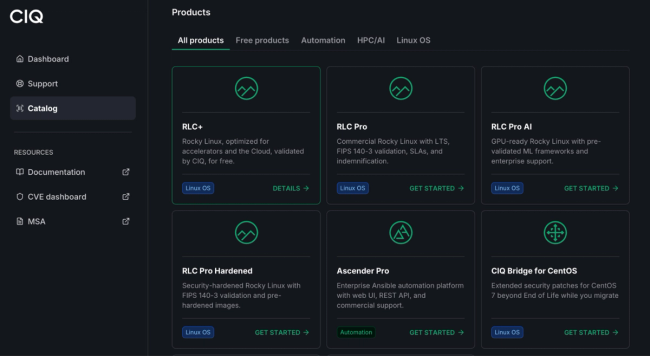
What can you buy today? Three products are available for direct purchase, each with a choice of support level at checkout:
- RLC Pro. Our commercial Enterprise Linux subscription, with Long-Term Support, FIPS 140-3 validated cryptography, and bug fixes that come directly from CIQ engineering.
- RLC Pro Hardened. Built for security-critical environments, with Linux Kernel Runtime Guard for real-time kernel integrity monitoring, pre-hardened images for DISA STIG and CIS frameworks, and automated compliance tooling.
- RLC Pro AI. Built for AI and HPC infrastructure, with the CIQ Linux Kernel, the NVIDIA CUDA Toolkit and DOCA-OFED stack, and popular ML frameworks pre-validated together.
Let's walk through what buying actually looks like.
Try before you buy
Most people should not buy on day one, and the portal does not ask you to. Prove the technology against your own workload first.
If you are a developer, grab a developer license for RLC Pro or RLC Pro AI. If you are evaluating an enterprise environment, start a 30-day trial. If you want GPU-ready Rocky Linux at no cost, download RLC+ in the edition that matches your hardware:
- RLC+ NVIDIA ships with the NVIDIA Data Center GPU drivers, the CUDA Toolkit, and DOCA-OFED, so GPU workloads run at first boot with no driver matching or kernel module troubleshooting.
- RLC+ AMD ships with validated AMD Instinct GPU drivers and AMD ROCm, the open source compute platform for GPU-accelerated AI, HPC, and data analytics.
Both editions run on the same CIQ-built and signed kernel that powers RLC Pro and RLC Pro Hardened, across Rocky Linux 8, 9, and 10 on x86_64 and aarch64. What you validate is what you deploy.
RLC+ is the right starting point for evaluation, development, and proof-of-concept GPU environments. When the workload moves to production and you need Long-Term Support, FIPS 140-3 validation, or IP indemnification, the RLC Pro family picks up where RLC+ leaves off. That handoff is the part that just got easier.
From catalog to license in minutes
Let's say your RLC Pro AI evaluation went well and you are ready to put four nodes into production.
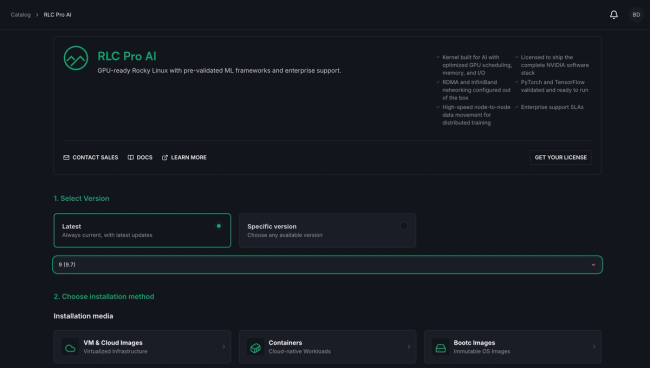
Head to the catalog and select RLC Pro AI, the same way you did during evaluation. Where the product page used to offer documentation and a link to contact sales, you now have a purchase option alongside them.
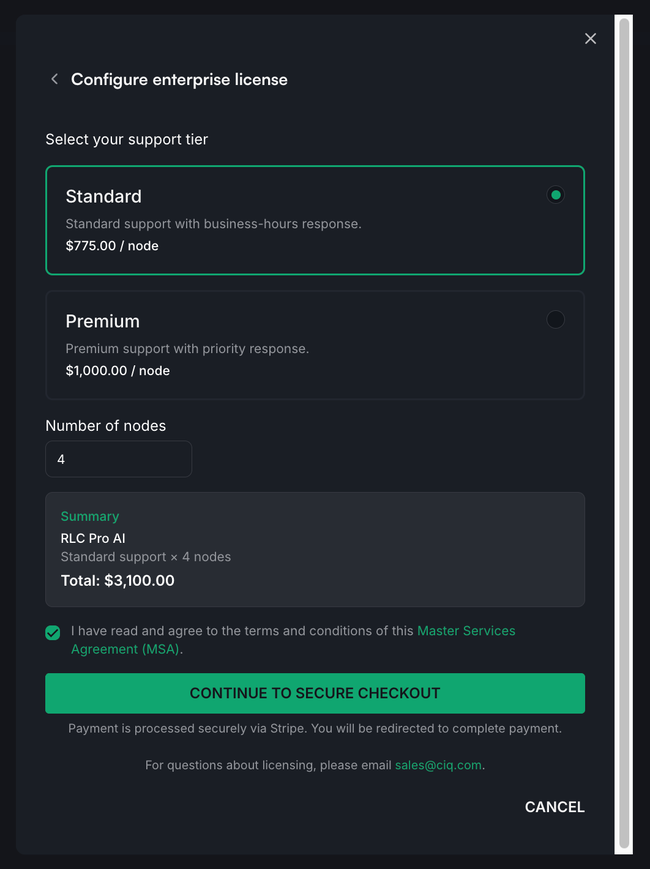
Select your support level and the number of nodes you need. The portal shows your total, including tax, before you commit to anything.
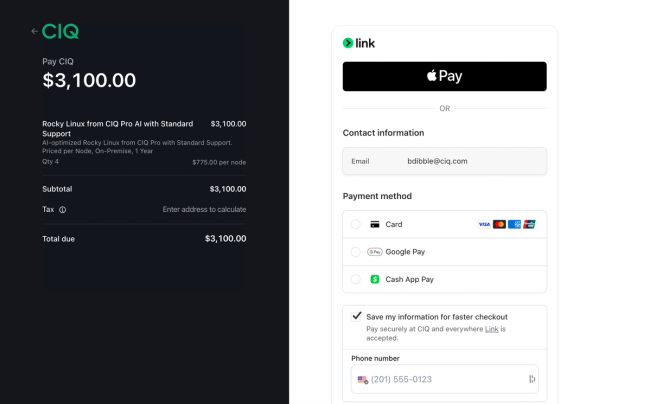
Checkout runs on a secure hosted payment page, which means your card details never touch CIQ servers. Enter your payment information, accept the MSA, and submit.
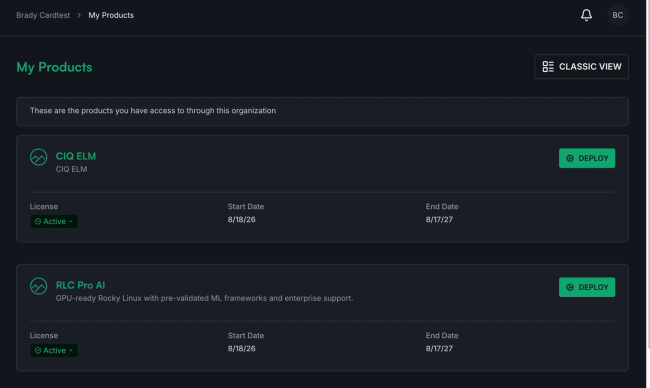
You land back in the portal with your license already active, with no countersignature to wait on and no provisioning ticket to file. Download your images and deploy.
Buy from anywhere, in your own currency
Self-service purchasing is not a US-only feature. Teams outside the United States can buy the same products, on the same terms, without an international wire, a reseller, or a US corporate card.
Pay with the method you already use. Cards, Apple Pay, Google Pay, and Link work globally. Regional methods are supported where buyers expect them:
- United States. Cash App Pay and Afterpay.
- South Korea. Korean cards, Kakao Pay, Naver Pay, Samsung Pay, and PAYCO.
- India. UPI.
- Brazil. Pix.
- Belgium. Bancontact.
- Global. Klarna.
See and pay a price in your currency. Checkout presents pricing in your local currency and charges you in it. You know the exact amount before you commit, and your statement shows the number you agreed to rather than a converted figure with a foreign transaction fee attached.
Know the final number up front. Applicable tax for your location is calculated and shown before you confirm, so the total at checkout is the total you pay. Your invoice is in the portal the moment the purchase completes, ready to hand to finance.
Teams outside the United States buy on the same terms, in the same session, as teams inside it.
Manage licenses, billing, and teams in one place
Everything after the purchase lives in the same interface you were already using:
- Licenses and credentials. See active licenses and manage your access token from one place.
- Billing history. Review past purchases and open or download any invoice.
- Organizations and members. Invite team members, assign roles, and manage permissions across your commercial products.
- Documentation and support. Product guides, installation instructions, and access to CIQ support are all in one place
Need more nodes in three months? Come back and buy them. Your existing licenses and team setup stay where they are.
When to talk to us instead
Self-service is the right path for a lot of teams, and we would rather be straightforward about where it is not.
Reach out to our team when you need a large node count that exceeds the self-service limit, negotiated terms or purchase order paperwork, or help with migration planning and compliance scoping for a large estate.
Whichever path you take, the software is identical. Same products, same support, same engineering behind them.
Start buying in the portal now
Whether you are a developer moving a homelab project into production, an admin adding nodes to an existing fleet, or a startup buying your first Enterprise Linux subscription, you can now do it yourself.
Head over to portal.ciq.com to create your account, explore the catalog, and buy on your own terms. New to the portal? Start with our walkthrough of the portal first. Still deciding which edition fits? Read Why RLC+? or our comparison of community Rocky Linux, RLC+, and RLC Pro.
Want to go deeper on products like Ascender Pro, Warewulf Pro, and RLC Pro? Visit our YouTube channel at youtube.com/@CtrlIQ.