Google was one of the first hyperscalers to sponsor the Rocky Linux project, and CIQ and Google have partnered to deliver optimized Rocky Linux images built specifically for Google Compute Engine (GCE). If you are running production workloads on Google Cloud Marketplace and want the enterprise-grade version, with Long-Term Support, FIPS 140-3 validated packages, and a vendor to stand behind the infrastructure, that is RLC Pro.
CIQ provides Google optimized Rocky Linux images, and RLC Pro is available through the Google Cloud Marketplace. The image is pre-configured to connect to CIQ's repository infrastructure. Stand it up, connect your subscription, and your Enterprise Linux environment is running.
From the Google Cloud Marketplace to a running VM with LTS and FIPS repositories enabled, faster than you'd expect.
What you get with RLC Pro on Google Cloud
RLC Pro adds enterprise capabilities on top of community Rocky Linux that matter most for production workloads at Google Cloud Marketplace scale.
Long-Term Support. Specific minor versions, 9.2, 9.6, and 9.10, are maintained by CIQ with backported security patches for years beyond the community EOL. If you are running certified workloads on Google Cloud Marketplace or building toward compliance frameworks with long planning horizons, LTS is what makes that possible.
FIPS 140-3 validated packages. Available on LTS .2/.6/.10 versions after connecting your subscription and enabling the FIPS repositories. NIST-certified cryptographic modules, ready for FedRAMP, FISMA, CMMC, and HIPAA-scoped environments. Part of the subscription, not a separate certification program you have to run yourself.
Full Enterprise Linux binary compatibility. Your Enterprise Linux applications, configuration management playbooks, and automation carry over without modification. Google Cloud Marketplace gives you the scale; RLC Pro gives you the Enterprise Linux foundation you already know.
Enterprise support. Standard and Premium tiers available, backed by the CIQ team that actually helps build Rocky Linux. When something breaks at 2am, you have a vendor to call.
Deploy RLC Pro on Google Cloud
- Navigate to the Google Cloud Marketplace.
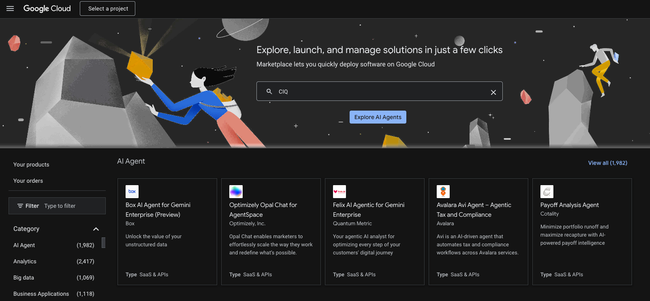
- Search for CIQ in the Google Cloud Marketplace.

- Select Get Started and agree to the terms.
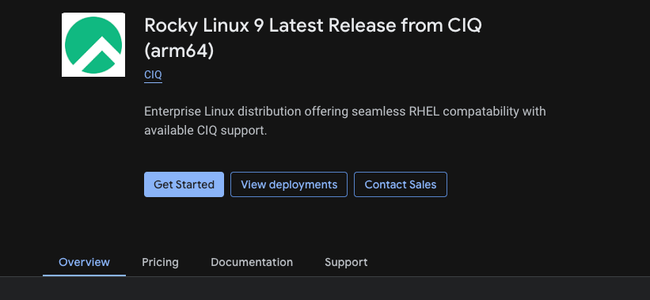
- Configure your Compute Engine VM (region, machine type, boot disk).
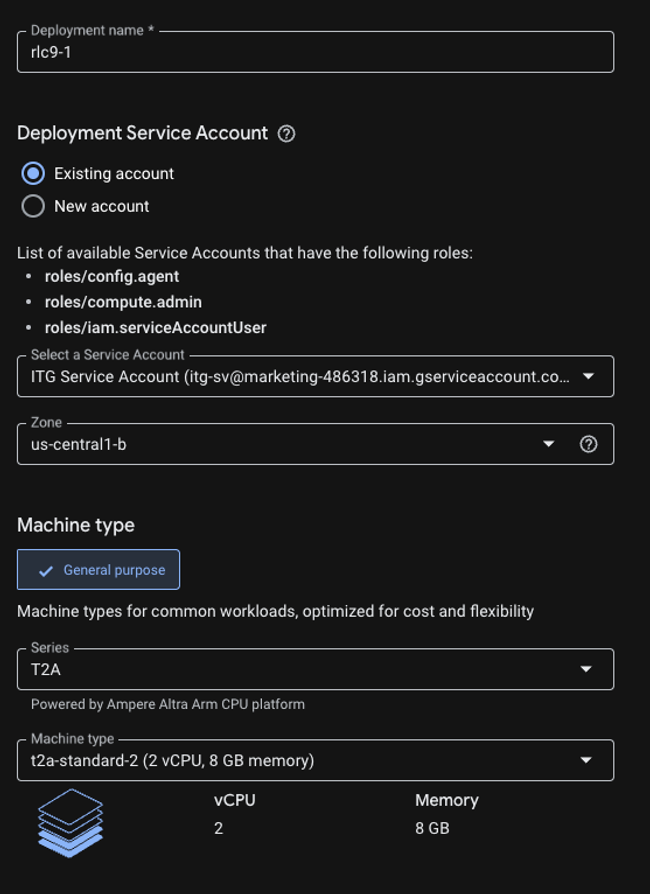
- Click Deploy!
- Run dnf update and reboot.
What to do next
The same LTS pinning, FIPS packages, and support SLAs are available on AWS and Azure. If you are building a multi-cloud strategy, RLC Pro is the consistent Enterprise Linux layer across all three providers.
Ready to get started? Head to portal.ciq.com to create your account, or find RLC Pro directly in the Google Cloud Marketplace. Need help mapping your workloads to the right LTS version or deployment architecture? Reach out to the CIQ team.