CIQ Enterprise Linux Manager (ELM)
Take control of your Enterprise Linux fleet
RLC Pro bundles the critical tools your fleet needs into one holistic subscription, not priced out as add-ons. CIQ Enterprise Linux Manager (ELM) ships as part of that standard, across RLC Pro and every variant, built to move faster than legacy tools and run entirely on infrastructure you already control.
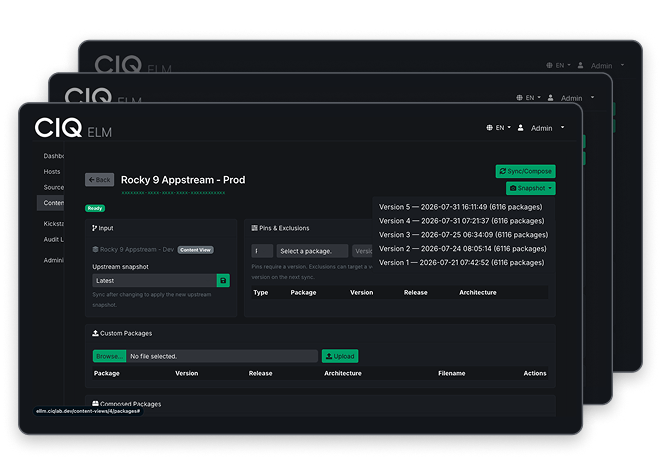
Meet CIQ Enterprise Linux Manager (ELM)
Some updates are ready for production now, others need to wait, and all of them have to land in the right order. ELM is where you make that call. It's a control plane for your Enterprise Linux fleet, running entirely in your own environment.
Mirror
Curate
Provision
Run air-gapped
ELM manages your whole fleet, from RLC Pro to RLC Pro AI on GPU nodes to RLC Pro Hardened for security-first hosts.
What ELM does for your fleet
Run it anywhere you already operate
Maintain precision and control
Answer to your team, not a billing system
What you control, in one place
What your fleet consumes is yours to control. Set your own upgrade windows and size your spending to the fleet you actually run.
Content
- Mirror CIQ Depot, your own repositories, and open repositories like Extra Packages for Enterprise Linux (EPEL) onto storage you own.
- Sync on a schedule you set, resumable and verified.
- Import from your local ISO image for an air-gapped segment.
Curation
- Fork product, version, and repository combinations into named content views.
- Add packages, remove them, or hold a version back.
- ELM signs each view at curation, so a host installs only what was approved.
Risk
- Dependency resolution surfaces conflicts while the view is still a draft.
- Outstanding Common Vulnerabilities and Exposures (CVEs) stay visible on packages you held back, filtered by severity.
Cadence
- Promote a view through versioned stages: development, test, production.
- Every publish is an immutable snapshot.
- Roll a host group back to a prior version in one move.
From mirror to production, and back
You mirror your content, curate what ships, stage it, and promote it when you are ready. If a change misbehaves, you re-point to the last good version and you are back.
1Mirror
2Curate
3Stage
4Promote
Roll back. Re-point to the last good version, anytime.
What that looks like in a real week
- Mon
Sync the mirror, fork a new view from production.
- Mon
Dependency check flags a conflict. Hold the version, sign again.
- Wed
Promote to test. A subset of hosts installs it.
- Fri
Promote to production as a version change.
- Any time
Prior view stays put. Rollback is a promotion the other way.
Both views sit side by side in the content store. Production holds steady while the team curates, signs, and stages the next release.
See it run against your own fleet
Request a demo, and a CIQ solutions engineer will curate, promote, and roll back a content view against a content set that matches yours.
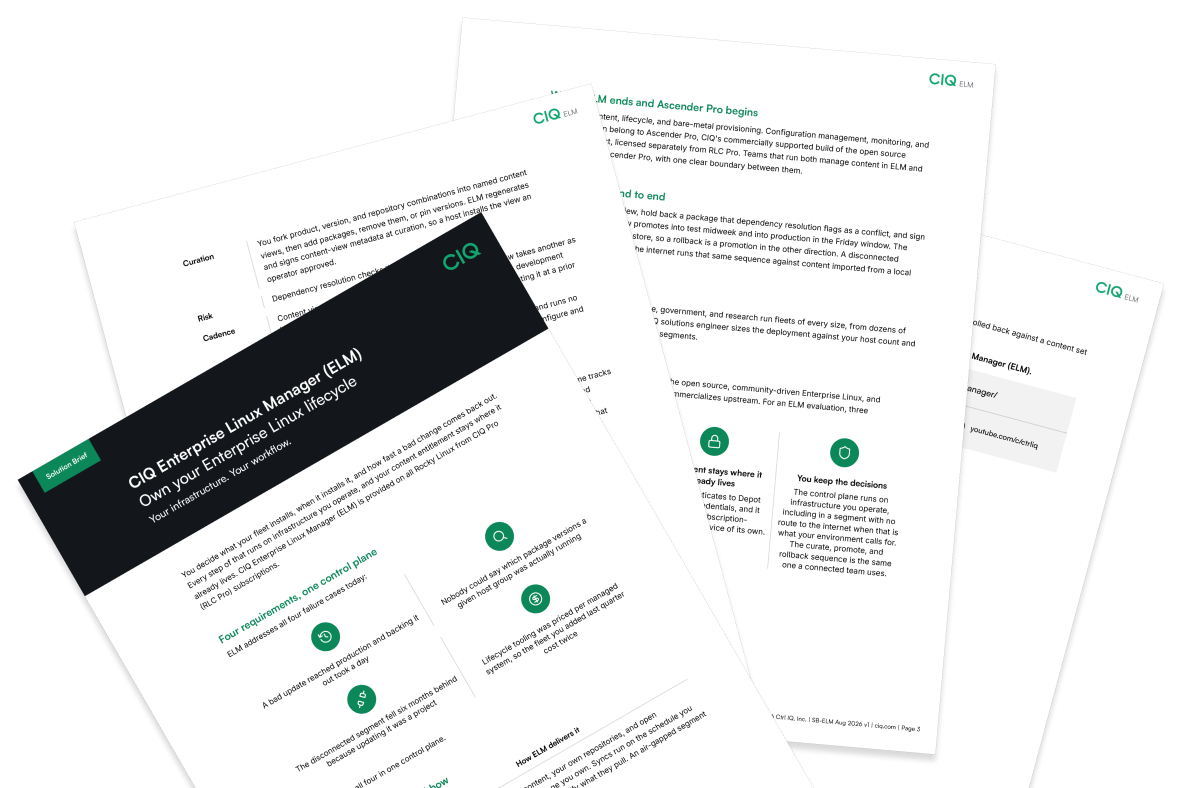
Get the ELM solution brief
Frequently asked
Enterprise Linux Manager (ELM) is a control plane for Enterprise Linux content, lifecycle, and provisioning. You mirror content onto your own infrastructure and curate it into signed, versioned content views. From there, you pin a known-good release, see dependency conflicts and CVE exposure before rollout, promote through your stages, roll back to a prior version, and provision bare metal over the network. ELM is provided at no additional charge to all RLC Pro subscriptions.
Teams that own content, patch, and lifecycle across an Enterprise Linux fleet. That means platform engineering and Linux operations groups running anywhere from dozens to thousands of hosts, plus the security teams responsible for regulated or disconnected segments.
A host installs from the content view it is pointed at, through standard package management. So a patch lands the moment you promote the view that carries it. Fleet-wide remote execution and configuration enforcement are Ascender Pro's job, not ELM's.
No. ELM is not something you buy. CIQ provides it at no additional charge to RLC Pro subscriptions.
ELM requires a paid RLC Pro subscription, so it is not part of community Rocky Linux or RLC+. The free editions stay free. Teams usually pick it up when they want their content and patch lifecycle handled by a supported product, rather than by scripts and cron jobs they maintain themselves.
Yes. ELM keeps the content-view model, including lifecycle stages, promotion, and rollback, so a Satellite administrator keeps the same vocabulary and mental model. Content does not move automatically. You rebuild your definitions against the new console, so the work is in rebuilding, not retraining.
It does not phone home. ELM runs inside your environment, sends no telemetry, and makes no license callback. When your environment calls for it, it curates and deploys content views fully air-gapped, with content brought in from a local ISO image.
Yes. In ELM, dependency conflicts and CVE exposure surface at curation, before a content view ever reaches a host. Outstanding CVEs stay visible on the packages you pinned or held back.
Roll back. Re-point the host group to a prior immutable content-view version, or revert it from a snapshot. Previous versions stay intact, so a rollback re-points rather than rebuilds.
Yes. ELM exposes an API, so mirror, curate, and promote operations run from a script or a CI pipeline, including Ansible. It also integrates with Ascender Pro to launch a job or workflow against selected hosts. Signing, the audit log, and rollback all hold when automation runs the promotion.
No. ELM ships a lightweight on-host agent that registers a host and keeps its repositories pointed at the right content view, but it is optional. You can also generate a repository config and hand it out with Ansible or another tool you already run.
Enterprise Linux. Mirroring, curation, and errata all target Enterprise Linux content. Other distributions are not part of this release.
ELM regenerates and signs content-view metadata at curation, and the CIQ signing key never resides on a customer system.
ELM owns content, lifecycle, bare-metal provisioning, and content-level CVE awareness. Configuration management, monitoring, and running the fix across the fleet belong to Ascender Pro, CIQ's commercially supported automation platform, licensed separately. Teams that run both manage content in ELM and remediation in Ascender Pro.
Still have questions?